Prepare the migration
Beginning September 30, 2025, authentication techniques can’t be managed in these legacy multi-factor authentication and self-service password reset policies.
Before start the migration of the new authentication techniques you need to review the action configuration of:
- Multi-factor Authentication Policy
- S.S.P.R. Policy

Review the legacy MFA policy
Start by documenting which techniques are available in the legacy MFA policy.
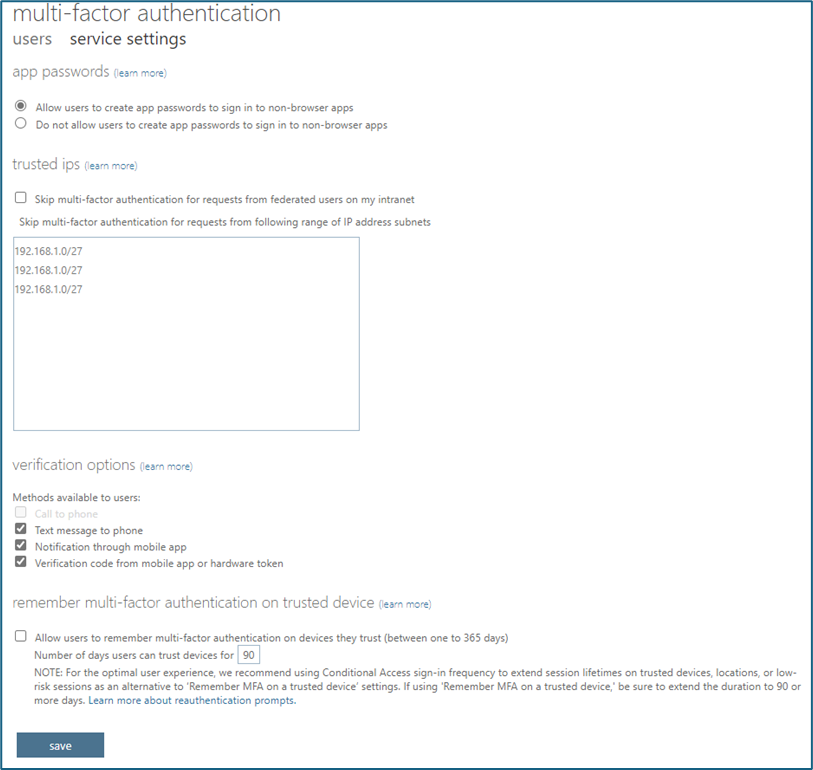
Sign in to Microsoft Entra. Go to Identity > Users > All users > Per-user MFA > service settings to view the settings. These settings are tenant-wide, so there’s no need for user or group information.
Take note also the trusted IPs that you need to migrate in the named location
Review and take note the actual verification options available to migrate in the new authentication techniques policy. The table shows the new correspondence:

Review the legacy S.S.P.R. policy
Start by documenting which techniques are available in the Self-service password reset policy.
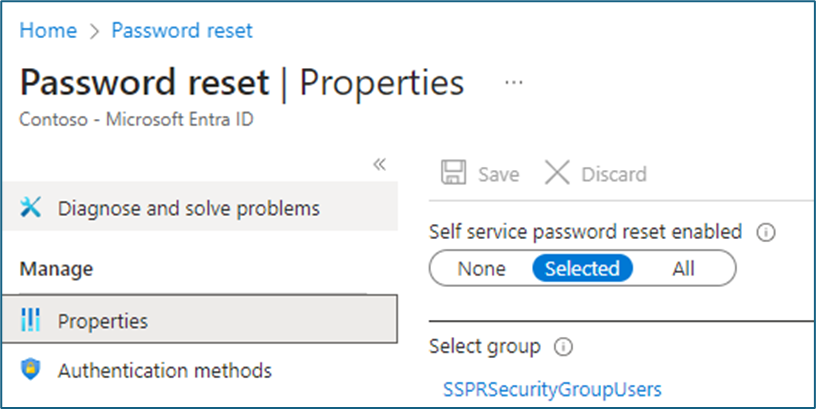
Sign in to Microsoft Entra and go to Identity > Users > Password reset > Authentication methods.
Record which users are in scope for S.S.P.R. It is all users, one specific group, or no users. Also, record the authentication techniques they can use. Security questions aren’t yet available to manage in the authentication techniques policy. Make sure you record them for later when they are.

Start the migration
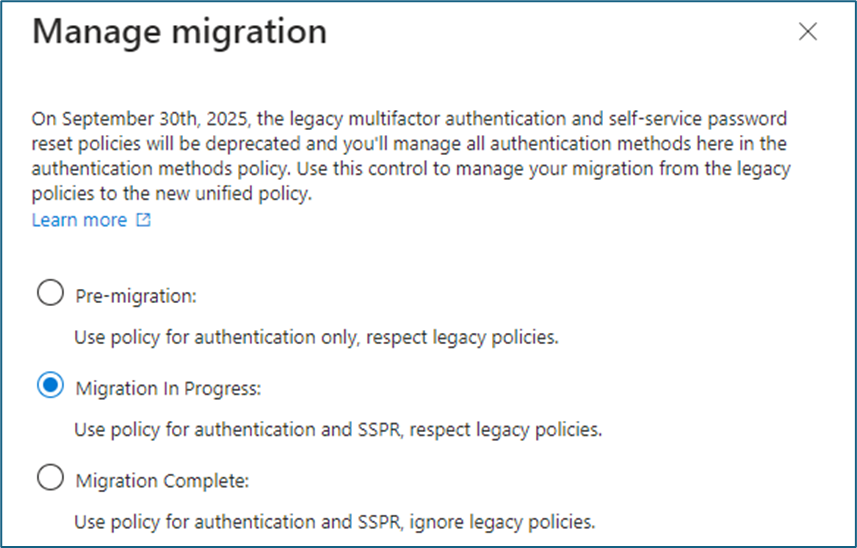
After gaining the available authentication techniques from the policies now in use, you can start the migration. Open the Authentication Methods policy, select Manage Migration.
To manage the migration to the new authentication techniques , there are 3 steps you need to follow:
- Pre-Migration: Force the new authentication techniques policy only for Multi-factor Authentication, respect legacy policies.
- Migration in Progress: Force the new authentication techniques policy for Multi-factor Authentication and Self-Service Password Reset, respect legacy policies.
- Migration Complete: Force the new authentication techniques policy for MFA and S.S.P.R., ignore legacy policies.
Authentication Methods
- Authentication strength is a Conditional Access control. It specifies which combinations of authentication techniques can be used to access a resource. Users can satisfy the strength requirements by authenticating with any of the allowed combinations.
- There are three built-in authentication strengths: Multi-factor authentication strength, Password-less MFA strength, and Phishing-resistant MFA strength.
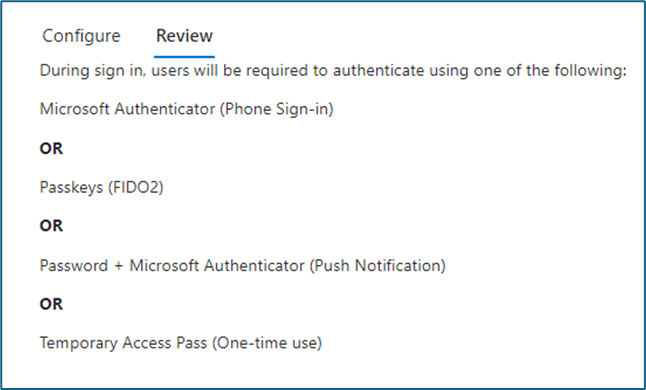
- We suggest to create a custom Authentication strengths to decide the combination of authentication techniques that can be used.
- Microsoft Authenticator (push and password-less)
- Temporary Access Pass
Settings
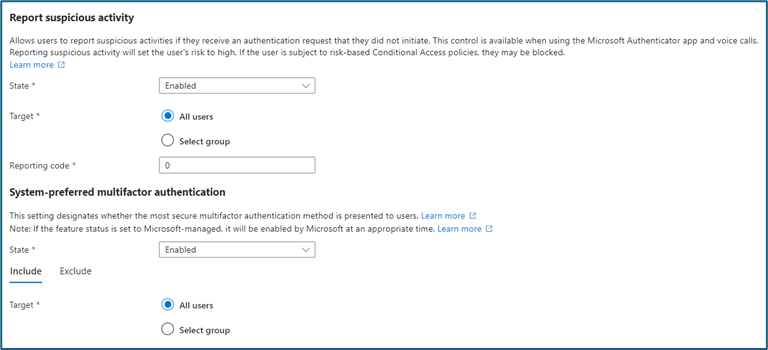
It is suggested to allow users to report suspicious activities. This is recommended if they get an authentication request that they did not start while using the Microsoft Authenticator app.
Reporting suspicious activity will set the user’s risk to high. This action will force it to show to users the most secure multi-factor authentication method they registered.
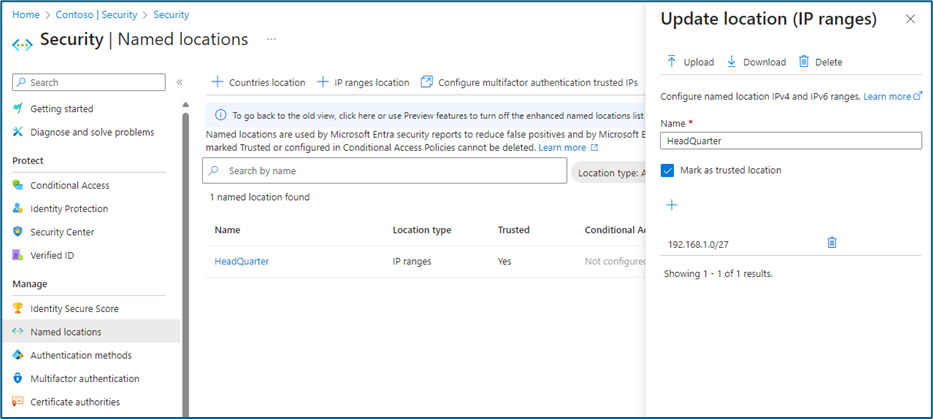
Named Location
Named network locations include locations like an organization’s headquarters network ranges. They also include V.P.N. network ranges or the ranges that you wish to block. Named locations are defined by IPv4 and IPv6 address ranges or by countries/regions.
You can use named locations for:
- Block access for unknown country or for a specific country where your user can’t sign-in
- Allow access without ask MFA for trusted location
- The migration of the IPs is necessary. They have been configured in the legacy portal of multi-factor authentication within the named locations.
Conditional access policy
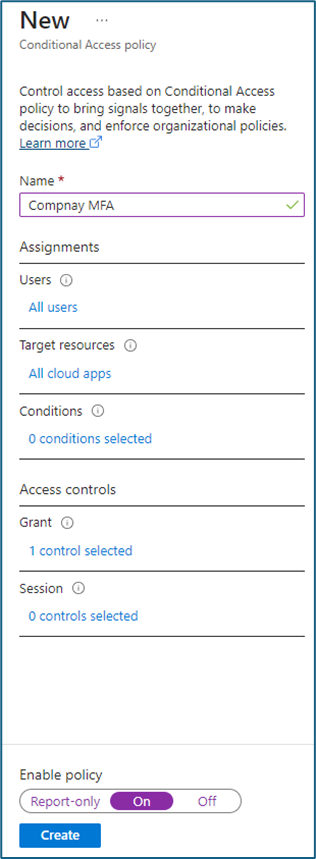
You need to create a new Conditional Access policy to use the news Authentication Methods
In the Grant section need to select the “Require authentication Strength” and select the Authentication Strength created in the earlier step

 welcome on ninjasta.it